
10/09/2026
Dates to Note…
Friday, October 9 – DUE TODAY!
Class Donations Due for the Auction
Auction Business Donations Due
Last Day for Discounted Hoedown Auction Tickets
See below for more details or visit: www.acanj.org/auction.
Grades 10-12 & Staff – Missions Trip Interest Form Due (see email)
Saturday, October 10
Ashley Lauren Foundation’s 5th Annual Touch-a-Truck
Visit the ACA table in your ACA spirit wear for a prize and a ticket for a FREE snack from the ACA Café.
(more details below)
Monday, October 12
CLOSED – Columbus Day
Wednesday, October 14
SAT/PSAT/NMSQT
Thursday, October 15
PTF Speed Friending – 6:30 PM
Odyssey Coffee House, Ocean Grove
Friday, October 16
Middle & High School Preview Day – 9:30 AM
Please invite anyone you know who may be interested in learning more about ACA! A personal invitation from our families is one of the best ways to introduce prospective families to our school community.
Anyone interested can register HERE.
Thursday, October 22
Early Dismissal – 12:00 PM
Conferences 1:00 PM – 5:00 PM
Friday, October 23
Faculty In-Service until 9:30 AM
Late Start – 9:30 AM
Auction Sponsorship Deadline
Saturday, October 24
Market St. Mission 5K – Race starts at 9:30 AM
Join our ACA Cross Country Team at Ocean Pathway in Ocean Grove!
Whether you want to run with us, participate in the 2 mile family walk, or come to cheer us on, we hope you will join us!
ACA Team Registration Link: Join our team!
In Other News…
Lunch and Recess Volunteers Still Needed!
DUST OFF YOUR BOOTS, ACA!

Country cuisine, square dancing, live & silent auctions, and more.
EXTENSION! Class donations are due Friday, 10/9.

AND WE’RE GIVIN’ OUT PRIZES…YEEHAW!




We love when our parents share photos with us! Since we can’t be everywhere, your pictures help capture special moments we might otherwise miss – whether it’s a memorable field trip, a joyful school event, or a winning sports team. Simply upload your photos into this google drive folder. Your shared photos and videos may be used for marketing, communications, and the yearbook!



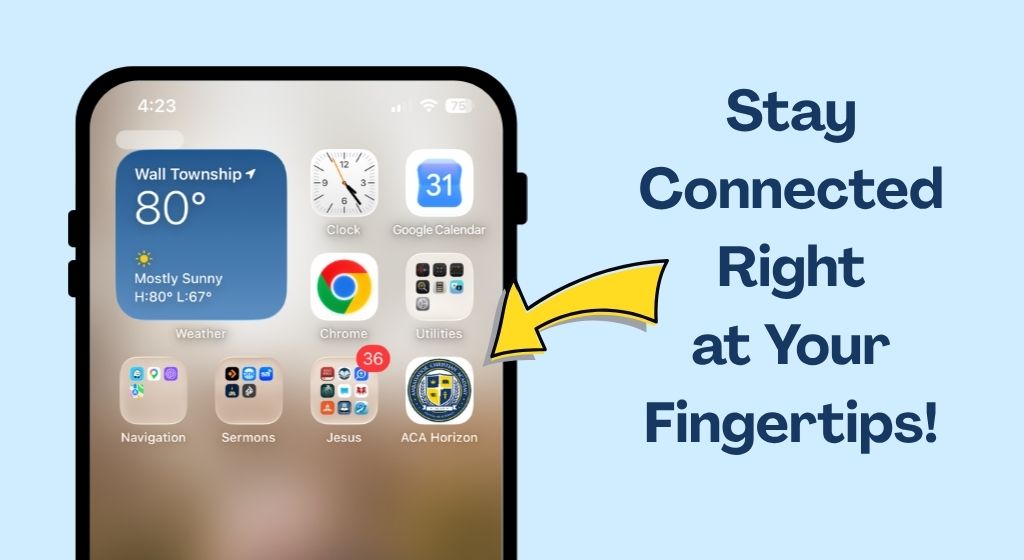
Add ACA On the Horizon to your phone’s home screen:
On iPhone or iPad
1. Safari app and go to the website you want.
2. Tap the Share button (the square with an upward arrow) at the bottom of the screen.
3. Scroll down the menu and tap Add to Home Screen. If you do not see it, scroll to the bottom, tap Edit Actions, and add it.
4. Type a name for your shortcut, then tap Add in the top-right corner.
On Android
1. Open Chrome and navigate to your desired website.
2. Tap the three dots menu icon in the top-right corner.
3. Select Install or Add to Home Screen (some pages may show “Install app” if supported).
4. Edit the name if you wish, then tap Install or Add.
5. If the icon does not appear directly on your home screen, swipe up to open your app drawer, long-press the icon, and drag it onto your home screen
Follow Us on Social Media
IMPORTANT EMAILS
Main Office – office@acanj.org
Mrs. Lipp, Principal – principal@acanj.org
Nurse’s Office – nurse@acanj.org
Café – cafe@acanj.org
Finance – finance@acanj.org
Giving – giving@acanj.org